
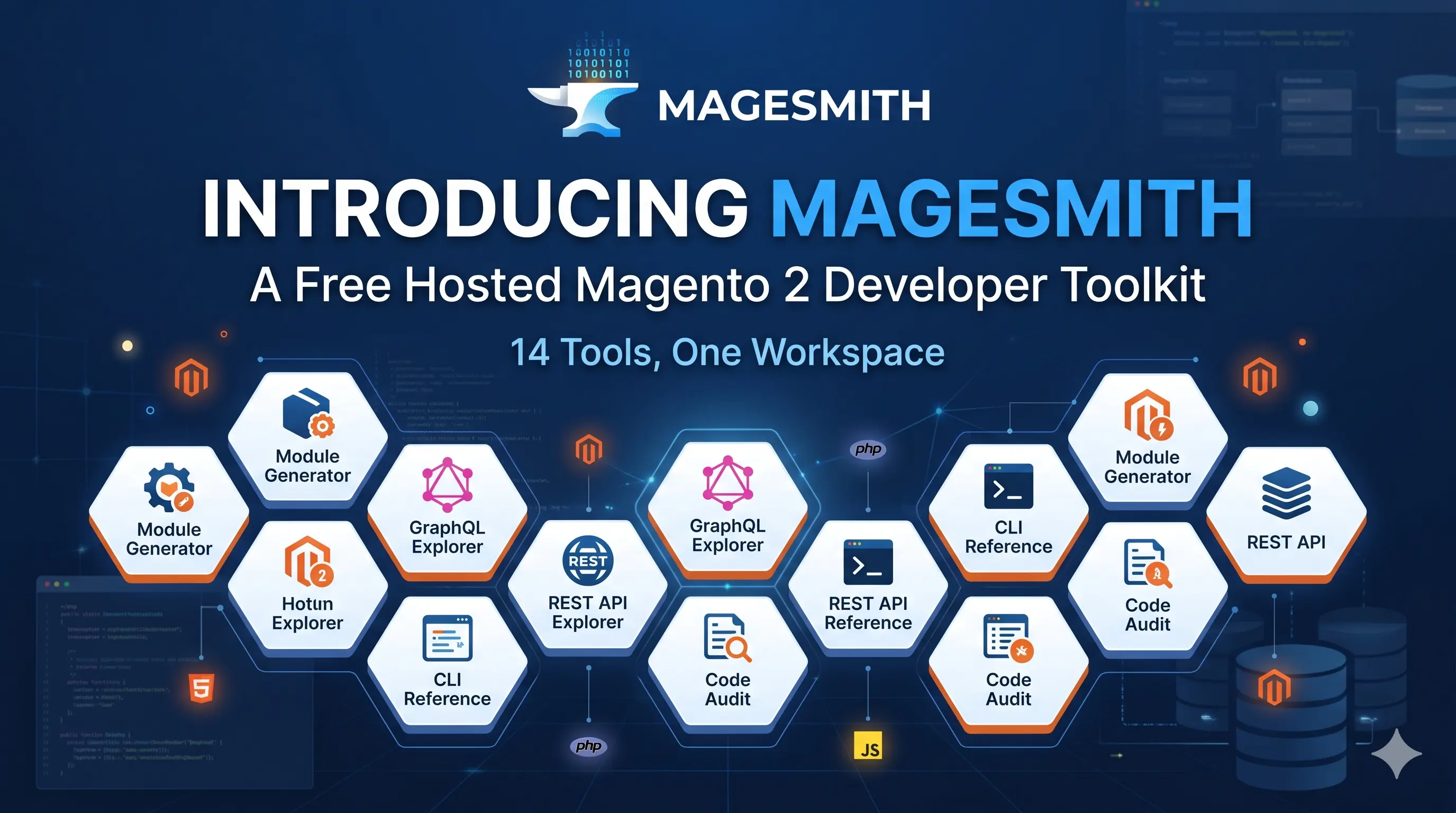
After years of running MagePsycho, the same loop kept repeating in my workflow: every new Magento 2 project meant re-opening the same dozen browser tabs, re-running the same scaffolding scripts, and re-typing the same bin/magento commands. Different clients, different stores, different problems — but the supporting cast of tools never changed, and most of them lived in scattered gists, half-finished local CLIs, or “I’ll automate this someday” backlog tickets.
So I built MageSmith — a hosted Magento 2 developer toolkit that puts all of those tools behind a single login. Fourteen tools live today, every one of them free, no setup required. Today’s post walks through the full set, with screenshots, so you can see what’s there. Each tool gets its own dedicated deep-dive in this series over the coming weeks.
TL;DR — Open magesmith.app, sign up free, scaffold modules, browse the GraphQL/REST schema, audit your code, run security-patch checks, and prep for the Adobe Commerce Developer cert — all from one workspace. Pinned to Magento 2.4.8-p4.
Why I built MageSmith
If you’ve shipped more than a handful of Magento extensions, you know the friction. Every new module starts with the same 30 minutes of boilerplate before you write a single line of business code: registration.php, composer.json, module.xml, di.xml, ACL files, layout XML, route declarations. Then you bounce to DevDocs to look up an event name. Then to GitHub for a db_schema.xml reference. Then to Stack Overflow for the right bin/magento flags. Then to Adobe’s bulletin page to check whether your store is patched against the latest CosmicSting variant.
Each individual context-switch is small. Multiply it across a year and it adds up to weeks of lost time — time you could have spent on the actual business logic.
MageSmith is the workspace I wished existed. The shape of it is opinionated:
- Hosted, not local. No
npm install, no Docker pulls, no version drift. Open a tab, you’re working. - Pinned to a specific Magento release. Currently 2.4.8-p4. The version banner is on every page so you always know what you’re looking at.
- Generated, not curated. The reference tools (GraphQL explorer, REST explorer, event catalog, DB schema, CLI reference) are all parsed at build time from the actual Magento source tree. When Adobe ships a new version, I re-run the generators and the catalogues update. No drift between docs and code.
- Free for everything that matters. I’ll add a paid tier eventually for things like custom-template editing and team workspaces, but the 14 tools below stay free forever.
What’s inside — 14 tools, one URL
Here’s the full lineup, grouped by what you’d use them for. Click any tool name to jump to its section.
Tools you generate:
Analysis
References (the parts I use daily)
- CLI Reference
- Database Schema
- Event Catalog
- GraphQL Explorer
- REST API Explorer ★ Just shipped
- Security Patch Tracker
Learning
1. Magento 2 Module Generator
Scaffold a production-ready Magento 2 module in under a minute.

The problem. Every new module starts with the same boilerplate ritual — registration.php, composer.json, module.xml, di.xml, ACL files, layout XML, controller stubs. Thirty minutes lost before the first useful line of code.
What MageSmith does.
- Frontend and adminhtml controllers with routes, ACL, and layouts wired up.
- Block + template scaffolds matching Adobe’s Luma / Hyvä conventions.
- Declarative
db_schema.xmlwithwhitelist.jsongenerated alongside. events.xml,di.xml, andmodule.xmlpopulated from your inputs.- Composer manifest,
registration.php, andLICENSEin one download. - Live tree-view preview before you click Download — tweak anything, watch the output update.
Try it: Magento 2 Module Generator · Open the tool →
2. Magento 2 README Generator
Polished README.md for your Magento extension in under a minute.

The problem. Every Magento extension on Packagist or GitHub needs a clean README. You either hand-write the same skeleton over and over, or you ship the empty placeholder repo and tell yourself you’ll come back to it. (You won’t.)
What MageSmith does.
- Pre-built field set — module name, author, description, installation, configuration, usage, compatibility.
- GitHub-Flavored Markdown output that renders identically on GitHub, Packagist, and any markdown viewer.
- Sensible defaults for Magento install steps (
composer require,setup:upgrade, cache flush). - Badges for Magento version support, composer package name, and licence.
- Drafts saved to your account — edit, duplicate, or export again later.
Try it: Magento 2 README Generator · Open the tool →
3. Warden Env for Magento 2
One-click
.envfor Warden, matched to the Adobe-tested runtime matrix.

The problem. Warden is the right answer for local Magento 2 dev — but its .env file demands the exact PHP / MySQL / OpenSearch / Redis versions Adobe tested against, and the matrix changes every minor release. Get one version wrong and setup:install blows up halfway through.
What MageSmith does.
- Service matrix pre-filled per Magento version — pick 2.4.8-p4 and PHP 8.4, MariaDB 10.6, OpenSearch 2.x, Valkey 8.x snap into place.
- Override any service version individually — swap Elasticsearch for OpenSearch, pick a specific PHP patch release.
- Toggles for Valkey, Varnish, MailHog, phpMyAdmin, RabbitMQ, Magepack.
- Outputs match the exact shape Warden expects — no manual tweaks needed.
- Drop the
.envat your project root, runwarden env-init && warden env up, you’re running Magento in Docker.
Try it: Warden Env for Magento 2 · Open the tool →
4. Magento 2 Ansible Generator
Generate a production-ready Ansible playbook that provisions an Ubuntu 24.04 server for Magento 2.

The problem. Going from a blank Ubuntu droplet to a Magento-ready server means installing and tuning a stack of seven or eight services — Nginx, PHP-FPM, MariaDB, Valkey, OpenSearch, Varnish, RabbitMQ, Let’s Encrypt SSL, plus firewall and backup cron. Doing it by hand is a half-day; doing it consistently across servers is a week.
What MageSmith does.
- Magento-version-driven stack matrix — pick 2.4.8-p4 and PHP 8.4, MariaDB 11.4, OpenSearch 2.19, Valkey 8.1, Varnish 7.7, RabbitMQ 4.1 snap into place.
- Service toggles for Valkey, OpenSearch, Varnish, RabbitMQ, Let’s Encrypt, Postfix relay, daily backup cron — pay only the install time for what you actually need.
- Idempotent Ansible roles for Ubuntu 24.04 LTS — re-run any role with
--tagsto apply config changes without rebuilding the box. - Vault-encrypted secrets workflow — the bundle ships a
vault.yml.exampletemplate; you fill in passwords andansible-vault encryptbefore checking in. - Sane production defaults: UFW firewall, fail2ban, OPcache tuned, MariaDB InnoDB tuned, Varnish VCL with Magento tag-based BAN.
- Unzip on your control machine, fill secrets,
ansible-playbook playbooks/site.yml— about 10 minutes on a 4 vCPU droplet.
Try it: Magento 2 Ansible Generator · Open the tool →
5. Magento 2 Table Rates Generator
Generate Magento’s
tablerates.csvwith Country, Region, and Zip support — no spreadsheets.

The problem. Magento’s Table Rates shipping method needs a CSV in a very specific shape — five columns, ISO-3166-1 alpha-2 country codes, * placeholders, and one row per (country, region, zip, threshold) tuple. Build it in Excel and you spend an hour fighting the tool. Get the country names wrong and the importer rejects the whole file with “Invalid Country Name”.
What MageSmith does.
- All ~250 countries with EU / non-EU / European bulk presets — check a group, set defaults once, override outliers.
- Region/State and Zip/Postal Code columns are optional toggles — country-level rates by default, granular when you need them.
- Three conditions: Order Subtotal, Weight, or # of Items — matches Magento’s Table Rates dropdown one-to-one.
- Multi-tier rates per destination — add as many
(From subtotal → Shipping Price)rows as you need. - Live CSV preview with Magento-exact column order and ISO alpha-2 codes.
- Drops straight into Stores → Configuration → Sales → Shipping Methods → Table Rates → Import.
Try it: Magento 2 Table Rates Generator · Open the tool →
6. Magento 2 Config Diff
Compare two
core_config_dataexports (SQL INSERT or CSV) and see exactly what changed.

The problem. Config drift between dev / staging / production is the silent killer. The admin-panel writes to core_config_data are scope-aware, often invisible in PRs, and only show up when something breaks in prod. You need a side-by-side diff that respects scope and store, not a diff -u of two SQL dumps.
What MageSmith does.
- Accepts
core_config_datadumps in two formats — SQLINSERTstatements (asmysqldumpproduces) and CSV with ascope,scope_id,path,valueheader. Plain or gzipped. - Color-coded rows — added (green), removed (red), value changed (amber) — grouped by config path for easy scanning.
- Scope-aware —
defaultvs.websitesvs.storesrows are diffed at their own scope, so a per-store override doesn’t masquerade as a default change. - Encrypted values stay opaque — the diff flags they changed, but plaintext is never exposed.
- Export as CSV for Slack / ticket attachments, or save the diff to your account for follow-up runs against a third snapshot.
Try it: Magento 2 Config Diff · Open the tool →
7. Magento 2 Code Audit
LLM-powered audits that surface real issues in your Magento module in minutes.

The problem. Magento Marketplace’s Extension Quality Program (EQP) static gate auto-rejects submissions for things like Mage:: usage, deprecated install scripts, raw shell_exec, eval/base64 patterns, and direct $_SESSION access. Finding those before you submit usually means running multiple linters with hand-tuned Magento rule packs. Running them isn’t the hard part — keeping them current is.
What MageSmith does.
- Paste a class, upload a ZIP/tar.gz, or submit a module folder —
.php,.phtml, and keyetc/*.xmlfiles are extracted automatically. - Severity-ranked findings — critical, error, warning, info — each with file:line pointer and a recommended fix.
- Marketplace readiness score (0–100) computed from EQP-category findings — flags every automatic-rejection trigger before you submit.
- Magento anti-pattern detection: direct
ObjectManagerusage, deprecated API calls, missing DI, layout XML referencing non-existent blocks. - Security checks: CSRF-skip annotations, raw SQL with user input, session fixation risks, missing ACL on admin routes.
- Performance checks: N+1 collection loads, unbatched INSERTs, missing indexes on common WHERE columns.
- Bring your own Anthropic API key — your audits, your bill, your data-retention preferences.
Try it: Magento 2 Code Audit · Open the tool →
8. Magento 2 CLI Reference
Every
bin/magentocommand, with arguments, options, and copy-paste examples.

The problem. bin/magento --help is a wall of text. DevDocs has a partial reference. Stack Overflow has the answer to the specific question you asked six months ago — but not the one you’re asking now. Every Magento dev ends up keeping a personal cheatsheet.
What MageSmith does.
- Every common
bin/magentocommand grouped by namespace — cache, indexer, setup, module, dev, deploy, info, queue, and more. - Per-command page with synopsis, arguments, options, and copy-paste examples for the patterns you actually run.
- Cross-linked “see also” references so you discover related commands while reading (
cache:clean→cache:flush,indexer:reindex→indexer:set-mode). - Group filters on the index — “show me every
dev:*command” is one click. - Each command is its own indexable URL — search Google for “magento setup:upgrade –keep-generated” and land directly on the right page.
Try it: Magento 2 CLI Reference · Open the tool →
9. Magento 2 Database Documentation
Browsable Magento 2 schema with foreign-key graphs and instant search.

The problem. Magento 2 ships with 363 core tables. The relationships between sales / quote / customer / catalog / inventory aren’t obvious from the names. Dumping the schema with mysqldump --no-data gives you the columns but loses the structure — you still have to grep through db_schema.xml files to figure out which entity_id is a foreign key to which parent.
What MageSmith does.
- 363 core tables grouped into 14 functional domains — Catalog & Products, Sales & Orders, Customer, CMS, Inventory, etc.
- Filter tables by name, column, or domain from anywhere in the app.
- Per-table detail: every column with type, null, default, primary-key and foreign-key markers.
- Indexes section — index type, column list, uniqueness.
- Foreign-key graph — click a table to see its 1-hop neighbourhood visualised, then click a neighbour to jump.
- Right-hand drawer for quick peeks without losing your place in the list.
- Schema pinned to a known Magento version — the banner tells you exactly which version you’re looking at.
Try it: Magento 2 Database Documentation · Browse the schema →
10. Magento 2 Event Catalog
Every event dispatched by Magento 2 core, with dispatch locations and ready-to-copy observer skeletons.

The problem. Magento 2 fires over a thousand events, but the canonical list lives nowhere — DevDocs only documents the famous ones, the rest you find by grepping the core repo. And half of them aren’t even literal dispatch('...') calls; they’re synthesised from $_eventPrefix properties at runtime.
What MageSmith does.
- 1,000+ events extracted from Magento 2.4.8-p4 core — literal dispatches plus synthesised model-lifecycle events (save / delete / load / clear) that hide behind
$_eventPrefixconcatenation. - Filter by lifecycle bucket: Save, Delete, Load, Clear, or Custom — one click, URL changes, every permutation crawlable.
- Per-event detail page: every
file:linewhere the event is dispatched, plus a ready-to-copyevents.xml+ PHP observer skeleton. - Related events in the same module so you learn the whole dispatch family instead of one event at a time.
- Deep link from any event directly into the Module Generator to scaffold an observer module around it.
Try it: Magento 2 Event Catalog · Browse events →
11. Magento 2 GraphQL Explorer
Browse every Magento 2 GraphQL query and mutation, with paste-ready headers, body, and cURL.

The problem. Magento’s GraphQL surface is huge — Catalog, Customer, Quote, Sales, Payment, CMS, Wishlist, Inventory, plus 30+ smaller *GraphQl modules. The introspection schema works in tools like Altair, but you still need a paste-ready cURL when documenting a third-party integration, and DevDocs only covers the headline queries.
What MageSmith does.
- Every query and mutation declared by Magento 2 core’s
*GraphQlmodules. - Grouped by module — drill into Customer to see
generateCustomerToken,customer,customerCart, etc., or jump to Quote forcart,addProductsToCart,placeOrder. - Per-field detail page with arguments, return type, resolver class, cache identity, and deprecation notes.
- Auto-generated examples — paste-ready Headers, Variables (JSON), Request body, cURL, and a JavaScript fetch snippet for every field.
- Cross-linked types — args and return types deep-link into the supporting input/object/enum/interface so you can navigate the schema without bouncing through DevDocs.
- Postman-style interactive playground at
/graphql/explorer— pick a field, edit headers, send the request from your browser.
Try it: Magento 2 GraphQL Explorer · Browse GraphQL →
12. Magento 2 REST API Explorer
Browse every Magento 2 REST endpoint, with method, path, parameters, ACL, and paste-ready cURL.
★ Just shipped — this is the freshest tool in the toolkit, live as of this post.

The problem. Magento’s REST API spans 400+ endpoints across 37 modules, defined in scattered webapi.xml files with the actual parameter shapes living in PHPDoc on the service-contract interfaces. To call POST /V1/products you need to know the full ProductInterface shape — which means walking the interface plus its parents (ExtensibleDataInterface, CustomAttributesDataInterface) and reconstructing the JSON wire format by hand.
What MageSmith does.
- Every REST endpoint declared by Magento 2 core’s
webapi.xml— Catalog, Customer, Quote, Sales, Inventory, Tax, Store, and 30+ more modules. - Grouped by module — drill into Customer to see
/V1/customers,/V1/customers/me,/V1/customerGroups, or jump to Quote for/V1/cartsand/V1/carts/mine. - Per-endpoint page with HTTP method, path/query/body parameters (with type, required flag, default, description), return type, service contract, and the ACL resources protecting the route.
- Recursive body generation — for any
POST/PUT, the example body expands every field on the data interface plus its parent chain, giving you the full JSON shape ready to fill in. (POST /V1/productsshows youproduct.media_gallery_entries[].content.base64_encoded_data, not just{ "_type": "ProductInterface" }.) - Auth surfaced inline — every endpoint flagged Anonymous, Self (customer/admin), or Admin with the exact ACL identifier (e.g.
Magento_Customer::group). - Postman-style interactive playground at
/restapi/explorer— pick an endpoint, fill in path placeholders, edit headers/body, dispatch from your browser.
Try it: Magento 2 REST API Explorer · Browse REST API →
13. Magento 2 Security Patch Tracker
Adobe Security Bulletins for Adobe Commerce + Magento Open Source — searchable, with version-safe checks.

The problem. Adobe ships security bulletins quarterly — sometimes more often when something like CosmicSting (APSB24-40) lands. Knowing whether your store version is patched against each outstanding bulletin requires reading every Adobe page and cross-referencing version ranges. And some fixes need more than the patch — CosmicSting also required env.php key rotation.
What MageSmith does.
- Every published Adobe Security Bulletin (APSBxx-yy) for Adobe Commerce + Magento Open Source — APSB22-12 (TrojanOrders), APSB24-40 (CosmicSting), and the rolling quarterly cadence.
- Severity badges (critical / important / moderate) and one-click filter chips so you can scan only the must-patch issues.
- “Is my version safe?” — paste
2.4.6-p3(etc.) and get every outstanding bulletin that still applies, plus the fixed-in version to upgrade to. - Per-bulletin page with affected + fixed version ranges, CVE references that link out to NVD, and the official Adobe bulletin URL.
- Operator notes call out when a fix isn’t enough — e.g. CosmicSting required
env.phpkey rotation in addition to patching. - Searchable by APSB ID, CVE prefix (
CVE-2024…), or free-text keyword.
Try it: Magento 2 Security Patch Tracker · Browse bulletins →
14. Adobe Commerce Certification Quiz
Practice exam for the Adobe Certified Expert — Adobe Commerce Developer cert.

The problem. The Adobe Certified Expert — Adobe Commerce Developer cert is the credential that opens doors at Magento agencies. Adobe’s official prep is thin on practice questions, and the third-party “exam dumps” out there violate Adobe’s exam policy — so you’re stuck either guessing what the real exam looks like or taking it cold.
What MageSmith does.
- 100+ hand-written questions mapped to Adobe’s published exam blueprint — every explanation cites a DevDocs URL so answers are verifiable.
- Grouped by exam topic — Request Flow, Data Model, EAV, Admin & Adminhtml, APIs, Checkout, Customisation.
- Multiple-choice and multi-select question types — mirrors the real exam format.
- Per-question explanations visible in review mode, hidden during the attempt.
- Four study modes: Practice (no clock), Timed exam (auto-submits), Spaced repetition (Leitner schedule: 1 / 3 / 7 / 14 / 30 days), Mistakes only (drills only what you missed).
- Session history — retake the same questions, track improvement, focus weak areas.
Try it: Adobe Commerce Certification Quiz · Open the tool →
How MageSmith stays current
The single biggest design choice was generation over curation. Every reference catalogue you saw above — events, CLI commands, GraphQL schema, REST endpoints, DB schema, security bulletins — is parsed at build time from a pinned Magento source tree (currently Magento Open Source 2.4.8-p4). When Adobe ships a patch release, I bump the pin, re-run the generators, and the catalogues update across the whole site in one deploy.
This matters in practice because the alternative — hand-curated docs — drifts fast. DevDocs is great when it’s current and frustrating when it isn’t, and it can’t be current for everything in a system as large as Magento. Generated catalogues solve that problem by construction: the catalogue is the source code, just rendered as a searchable web app.
Every page also carries a “Last verified: ” line under the headline so you always know what version of Magento it was built against. No mystery meat.
Free, no setup, your work stays yours
A few clear answers about how MageSmith works, since these come up:
- Free for everything that exists today. All 14 tools, no card, no trial timer, no daily caps that matter for normal use.
- Future paid tier covers extras only. Custom-template editing for the README generator, advanced module-generator components (full EAV entities, REST/GraphQL API scaffolds, payment-method templates), team workspaces — those land on a paid plan when they ship. The core tools you saw above stay free forever.
- Your output is yours. Module scaffolds, READMEs, config diffs, audits, table-rates CSVs, Ansible bundles — use them in proprietary, commercial, or open-source projects without restriction.
- The Code Audit tool runs against your own Anthropic API key. Set it once in Settings; your code is sent to Anthropic only when you click Audit, and only a summary of findings is saved to your history.
- No code is persisted server-side beyond the request. See the Privacy Policy and Terms of Service for the legal version.
What’s coming next — the deep-dive series
This launch post is the first of a 14-part series. Each tool gets its own dedicated post on this blog with a deeper teardown — the why behind the design, the gotchas I hit, and the workflow shortcuts that don’t fit on the marketing page. Subscribe to the blog.magepsycho.com RSS feed or follow @magepsycho so you don’t miss them.
| # | Working title | Status |
|---|---|---|
| 1 | Scaffold a Production-Ready Magento 2 Module in Under a Minute | Coming soon |
| 2 | Generating Polished Magento Extension READMEs from a Form | Coming soon |
| 3 | One-Click Warden .env for Magento 2 (Adobe-Tested Versions) | Coming soon |
| 4 | Provision a Magento 2 Server with the MageSmith Ansible Generator | Coming soon |
| 5 | Generating tablerates.csv Without Spreadsheets | Coming soon |
| 6 | Diffing core_config_data Across Environments | Coming soon |
| 7 | LLM-Powered Code Audits for Magento 2 Modules | Coming soon |
| 8 | Every bin/magento Command, Searchable Online | Coming soon |
| 9 | Browsing the Magento 2 Database Schema | Coming soon |
| 10 | Every Magento 2 Event, with Dispatch Locations and Observer Skeletons | Coming soon |
| 11 | Exploring Every Magento 2 GraphQL Query and Mutation | Coming soon |
| 12 | The Magento 2 REST API Explorer (with Recursive Body Generation) | Coming soon |
| 13 | Is Your Magento 2 Store Patched? Tracking Every Adobe Security Bulletin | Coming soon |
| 14 | Practising for the Adobe Commerce Developer Certification | Coming soon |
When each post ships, I’ll backfill the link from the matching tool section above, so this launch post stays the canonical index of the series.
Try MageSmith
If any of the friction in this post sounded familiar, the easiest next step is just to open the app and click around:
→ Sign up free at magesmith.app (email + password, or sign in with Google / GitHub). → Browse the full tool catalogue without signing up first — the reference tools (CLI, schema, events, GraphQL, REST, patches) are all public. → Found a bug, want a feature, hate the colour palette? Reply on the latest tweet from @magepsycho or email me directly — I read every one and the roadmap is shaped by what users actually ask for.
I built MageSmith because I needed it. If it saves you the hour-a-day I was losing to context-switching, the project’s done its job. Thanks for reading — see you in the next post.
— Raj, @magepsycho